Settings reference
Modules dialog
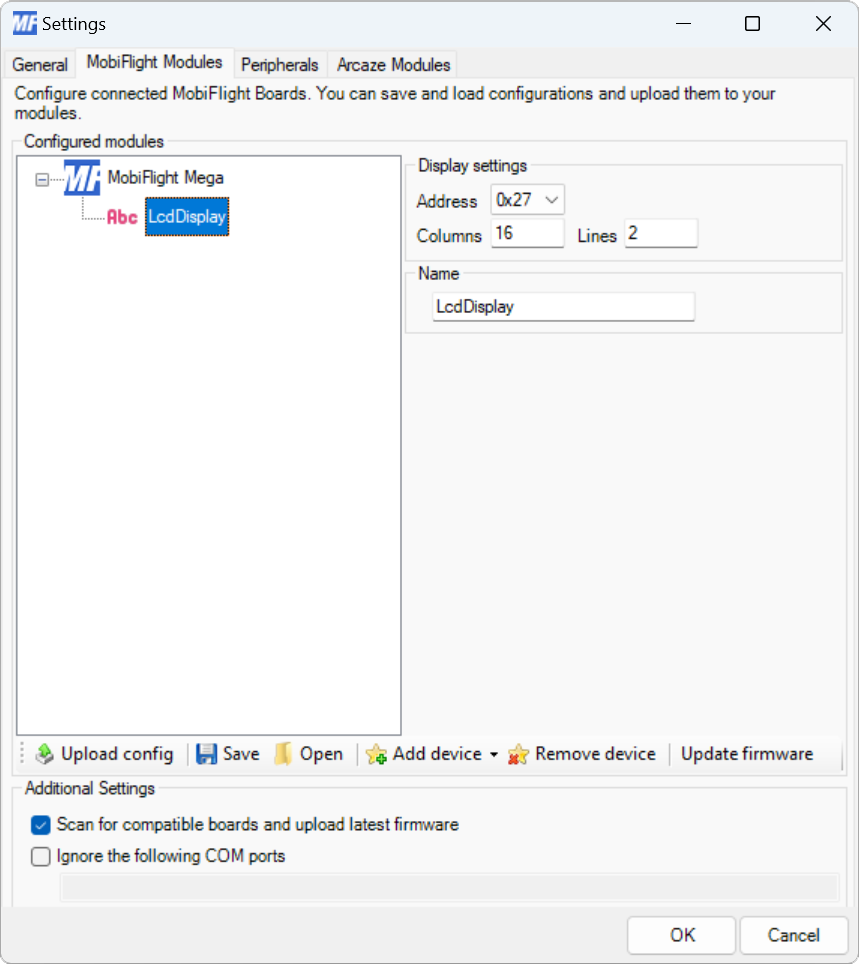
| Setting | Description |
|---|---|
| Address | The I2C address of the LCD. |
| Columns | The number of character columns on the LCD. Minimum 1, maximum 40. |
| Lines | The number of rows on the LCD. Minimum 1, maximum 4. |
| Name | The name for the LCD. Displayed in the output configuration dialog to identify the LCD when mapping the simulator output to the display. |
Output display configuration
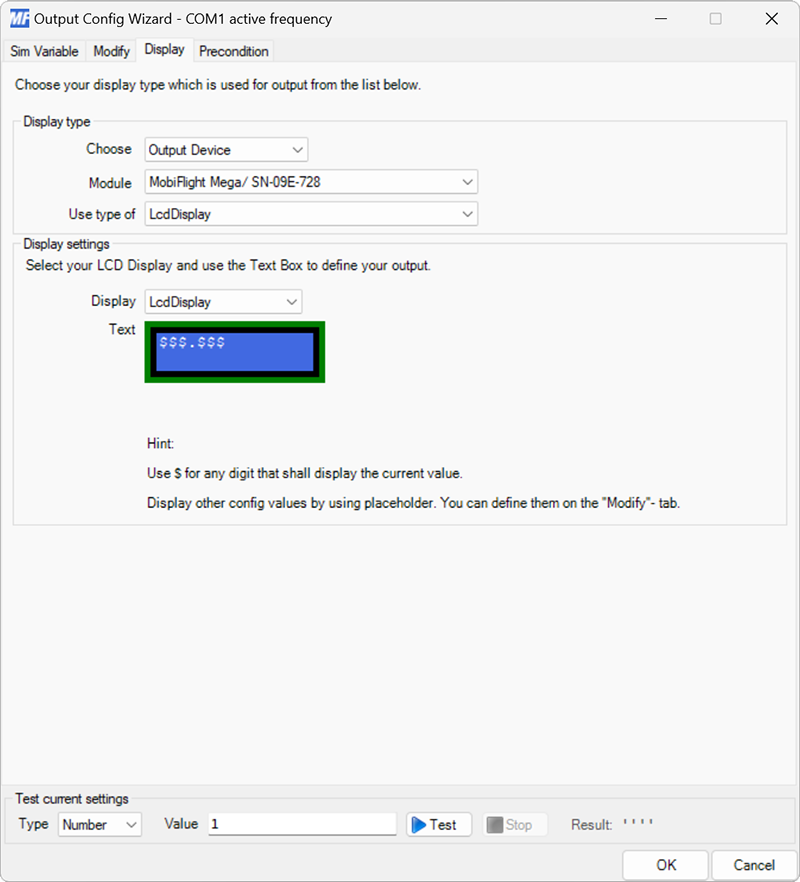
| Setting | Description |
|---|---|
| Display | The LCD device configured in the Modules dialog to display the values on. |
| Text | The text to display on the LCD. The $ character represents digits for the variable configured on the Sim Variable tab. Other values can be displayed by defining config references on the Modify tab. |